

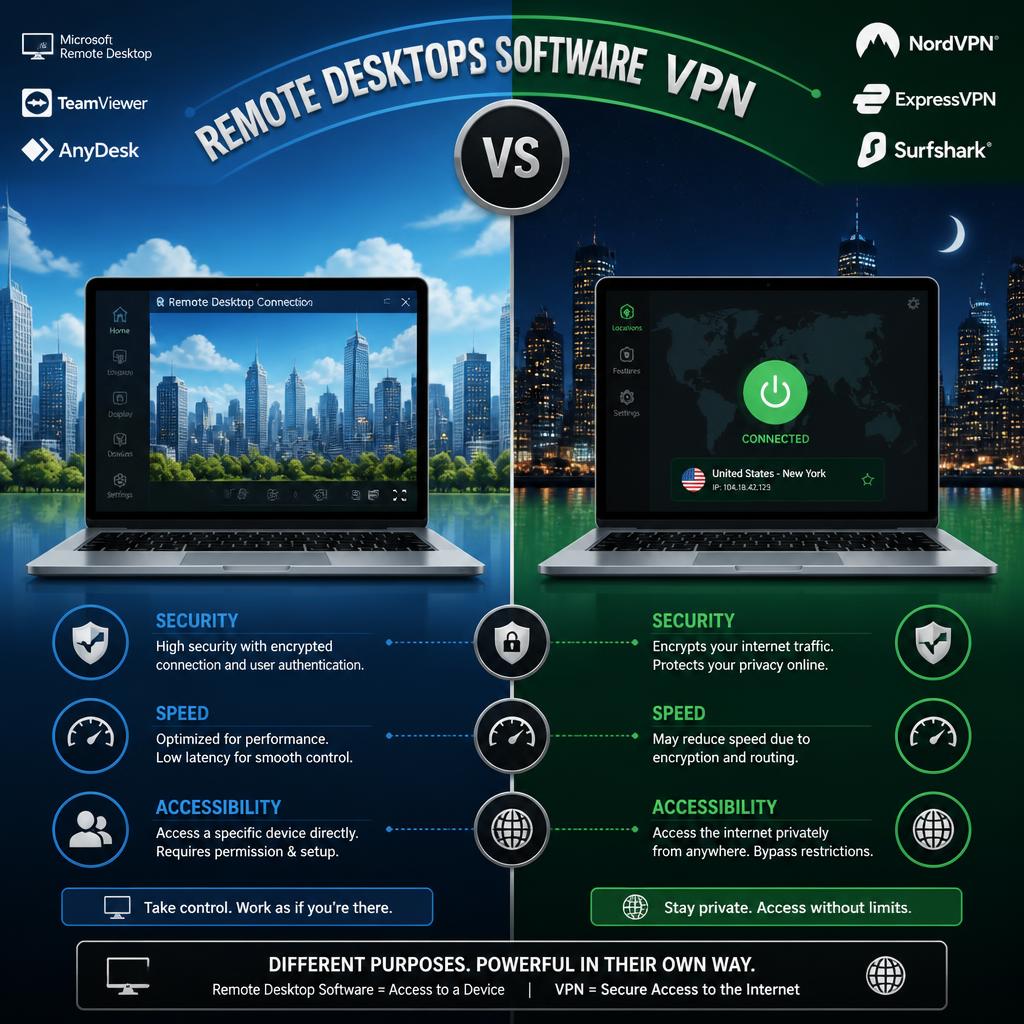
Two of the most commonly raised tools by IT teams looking to provide employees with secure access to company resources from outside the office include remote desktop software and VPNs. Both resolve the class issue of allowing somebody external to the corporate network to access one thing internal to it, but fundamentally are coming at the problem from completely different angles. You get it, difference matters because the wrong tool for the right use case can leave a hole in security or unnecessary friction to your end user.
It’s easy to confuse the two. The terms are used interchangeably in marketing material, and lots of organizations use both technologies at the same time (and not quite sure why). If you can clarify what each technology does, and when do they gain the most value for different use cases, IT teams would be able to make more deliberate decisions on their access strategy.
What Remote Desktop Software Does
Remote Desktop Software allows a user to see and control a remote computer from a distance like they are sitting in front of it. However when you start a remote desktop session, what you are seeing is the real-time desktop of the remote machine with all its apps and files and settings loaded to it. That is mission-way different than just linking to a network; you are assuming control of a single device.
For IT support teams, this distinction is central to the technology’s value. A technician troubleshooting a malfunctioning application does not need network-level access to the company’s systems; they need to see and interact with the exact machine experiencing the problem. You can learn more about how remote desktop software versus VPN tools compare directly when evaluating which approach fits a given support scenario.
Features of remote desktop sessions are generally based on this device-level interaction: file transfer between the local and remote machine, printing from a remote session to a local printer, multi-monitor support that reflects the display configuration of the remote machine, reboot or wake features to bring a remote device back online without forgetting the connection.
What a VPN Does
A VPN, or virtual private network, works at the network level rather than the device level. According to a foundational explanation of the underlying technology, a virtual private network definition describes a VPN as a private network deployed over a public telecommunications network, allowing connected users to reach resources on that private network as though they were physically present on it. Rather than controlling one specific machine, a VPN extends the company’s network perimeter outward, making the user’s device appear to be part of the internal network.
After the user logs into a VPN, their account has permission to reach file servers and internal websites, databases, or other network resources. You are still using your own local fibre optic device, the only thing has been changed is network path. This is not an insignificant departure from remote desktop software, where you are controlling a completely other machine.
VPN technology itself comes in several forms. Detailed technical documentation on one widely deployed approach is available in this SSL VPN technical guide, which describes how browser-based VPN connections are established and secured, along with comparisons to other VPN architectures such as IPsec.
Where Each Technology Fits Best
Another reason to consider remote desktop software is if you wish to have direct interaction with a particular machine. The most obvious IT support scenarios: when a technician needs an error in the application to review or has to install new software, or finds a configuration error – they must see exactly what the end user sees. Remote desktop access is also used by employees requiring to command specialized workstations, be it one that uses licensed software unable to install elsewhere from a different location.
If the target is to gain access more broadly across the network rather than get control of one machine, VPNs tend to be a good choice. A remote desktop will not be sufficient here for example an employee with access to multiple internal resources in one workday:-an access to a shared drive-an internal application-an intranet site. VPNs that are also prevalent for site-to-site connections between offices; where remote desktop software is not designed.
Security Considerations for Each Approach
Security features are different in ways that matter for IT decision making. Session-level controls, such as logging all actions taken, limiting to specific devices the technician can access, or creating time-limited access codes for ad hoc support sessions during remote desktop sessions. Since the access is only valid for one device in a session, so the potential blast radius of a compromised credential is relatively smaller.
VPNs, by providing a wider range of network access, can thus provide an attack surface if a connected device becomes compromised; that is, any device in possession of control over the VPN-enabled machine may be able to reach anything else accessible through that VPN account. So many organizations have shifted their trust model to be more fine-grained in the network access area, but the VPN technology itself was typically created based on a very different foundation: wide published upon connection.
In the abstract, one technology is not more secure than another. Which technology an organization might deploy could be different, but regardless of whichever system is used, configuring proper access controls and authentication requirements and monitoring its use can determine the right security posture required.
Using Both Together
The two software applications serve different purposes but complement each other, which can be a difficult distinction for many organizations to understand. A typical instance of this would be use of a VPN to provide network access, either through dedicated remote desktop software for IT support or reaching internal file shares and applications. By creating this divide, technology is able to do the use case that it was created for rather than trying to fit one tool into more scenarios that it wasn’t built for in an efficient manner.
Frequently Asked Questions
Can remote desktop software replace a VPN entirely?
If your organization’s primary requirement is for IT support or access to individual machines, using remote desktop software alone may be totally adequate. For organizations that require broader access to common landscape resources across many systems, nevertheless a VPN yet together with remote desktop tools are most beneficial.
Is remote desktop software slower than a VPN connection?
Performance is much more influenced by the specific network conditions and software involved than the technology category itself. On the other hand, a modern remote desktop platform is usually designed with low latency for interactive sessions very much in mind while the performance of a traditional VPN service usually hinges on any encryption overhead along with server load.
Do small businesses need remote desktop software as well as VPN?
For most small businesses, operating with only one technology to start (usually for whatever immediate need is present in the business remote desktop software for IT support.) If that is true for a growing organization and more employees need access to shared internal resources, adding a VPN or any other network access solution starts being relevant.
